Prompt copied
I Love You: the ChatGPT prompt behind this picture
The prompt that made this picture
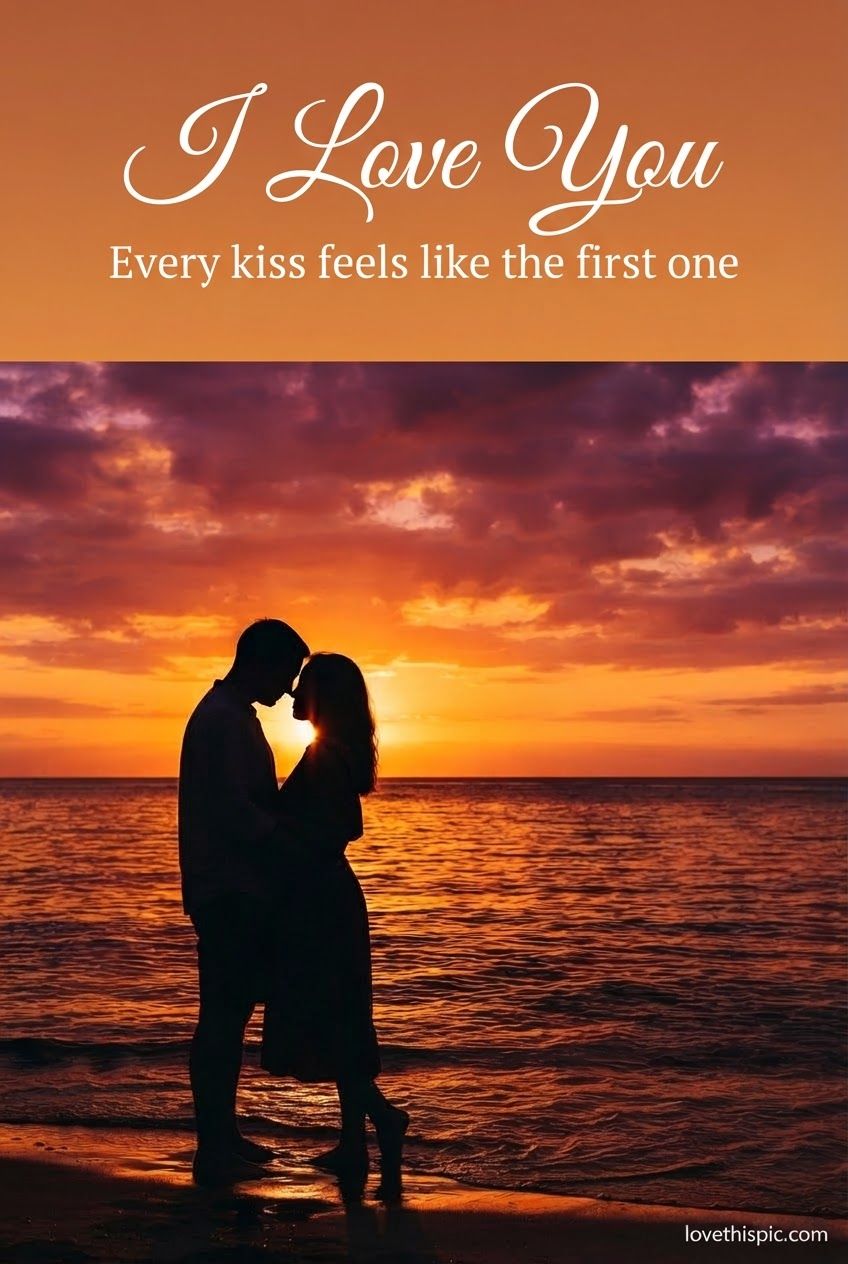
A photorealistic, cinematic vertical image, 1024 x 1536, composed so it can be animated. A romantic silhouette of a couple leaning in close, shown only as a dark outline against a blazing orange and deep pink sunset over calm water, with the sun low between them, golden light on the ripples and a few soft clouds. Faces not visible, pure silhouette. Very rich saturated sunset colour. Keep the sky in the top third clean for text. On the image, spelled exactly: a large headline in an elegant flowing script font reading "I Love You", and under it a short line in a clean serif font reading "Every kiss feels like the first one". Small white "lovethispic.com" bottom-right. No other text, no logo, no border, no faces.
The setup message we sent first
For the next set of images, apply these rules to every single one unless I say otherwise: photorealistic and cinematic, not illustration or cartoon. Vertical, 1024 x 1536 pixels. Spell all text exactly as I write it, with no extra words, no stray letters and no duplicate punctuation. Keep the text over a calm, uncluttered part of the picture so every letter is readable. Put a small white "lovethispic.com" in the bottom-right corner, about 2% of the image height. No other text anywhere, no watermark, no logo, no border, no frame, no collage, no multiple panels, no recognizable real people, and no cartoon, movie or brand characters. Colours should be rich and saturated, not pale or beige. Confirm you understand, then wait for my first image.
The Copy prompt button puts both into one message, so you only paste once.
Words on the picture: I Love You / Every kiss feels like the first one
Make it yours: send one of these next
- Change the wordsChange the words on the picture to: "[YOUR WORDS]". Keep the picture, the lettering style and the layout exactly the same.
- Add a nameAdd the name "[NAME]" under the main greeting, in the same lettering style and colour. Change nothing else.
- Make a square version for InstagramMake a square 1080 x 1080 version of this picture with the same scene and the same words.
- Make it move (animated GIF)Now make an animated GIF version of that exact image. Keep the composition, the colours and all of the text identical and perfectly still - only the natural elements move: a gentle loop of drifting steam, flickering candle flame, falling leaves and slow light shimmer. Seamless loop, about 2 to 3 seconds, at least 680 pixels wide. The text must not move, warp, flicker or change.
Didn't come out right? Send this
- Fix a spelling mistakeSome letters are wrong. Fix the spelling so the words read exactly: "I Love You" "Every kiss feels like the first one". Change nothing else.
- Make the words easier to readMake the words bigger and easier to read on a phone, with a soft shadow behind them. Change nothing else.
- Warmer and brighterMake the picture warmer and brighter with richer colours. Keep the words exactly the same.
How it works
- Pick a picture you like and tap Copy prompt.
- Open ChatGPT or Gemini (both free) and paste it. Wait about a minute for your picture.
- Want different words, a name or a GIF? Send one of the short follow-up messages under each prompt.
More prompts like this
-

-

-
-
-
-
-

-